



The inventory management and back office for your retail business.
12 pages · 3.4 MB · Brochure in German
Request brochure in English →Free, the link will be sent by email.
Inventory across multiple branches, price labels, reordering, supplier receipts, and daily cash takings neatly in the cash book — this eats up time that is missing in the store. DivineMind.AI® takes over exactly this back office: Branch inventory at a glance, labels at the touch of a button, automatic reordering, and an accurately maintained cash book. The till is included: DivinePOS books the daily closing directly into the cash book. EU-hosted, with accounting export for tax advisors, and AI labeling according to Art. 50 EU AI Act.
Behind the till, the back office eats up time.
Eight Levers for an Organized Retail Back Office.
Branch inventory, labels, purchasing, receipts, cash book, B2B sales, and AIRIS employee area — prepared by AI agents, with approval before every critical booking.

Branch stock at a glance
↳ With multiple locations, no one knows for sure which item is still in stock where. Transfers and reordering happen on demand.
→ Manage any number of warehouses and branches with stock per location. DivineMind.AI shows the stock per item across all branches, including totals per location. Stock transfers are a structured workflow rather than a shouted request: create, have reviewed by a second person, execute — stock is only transferred upon execution, and the audit trail remains transparent.
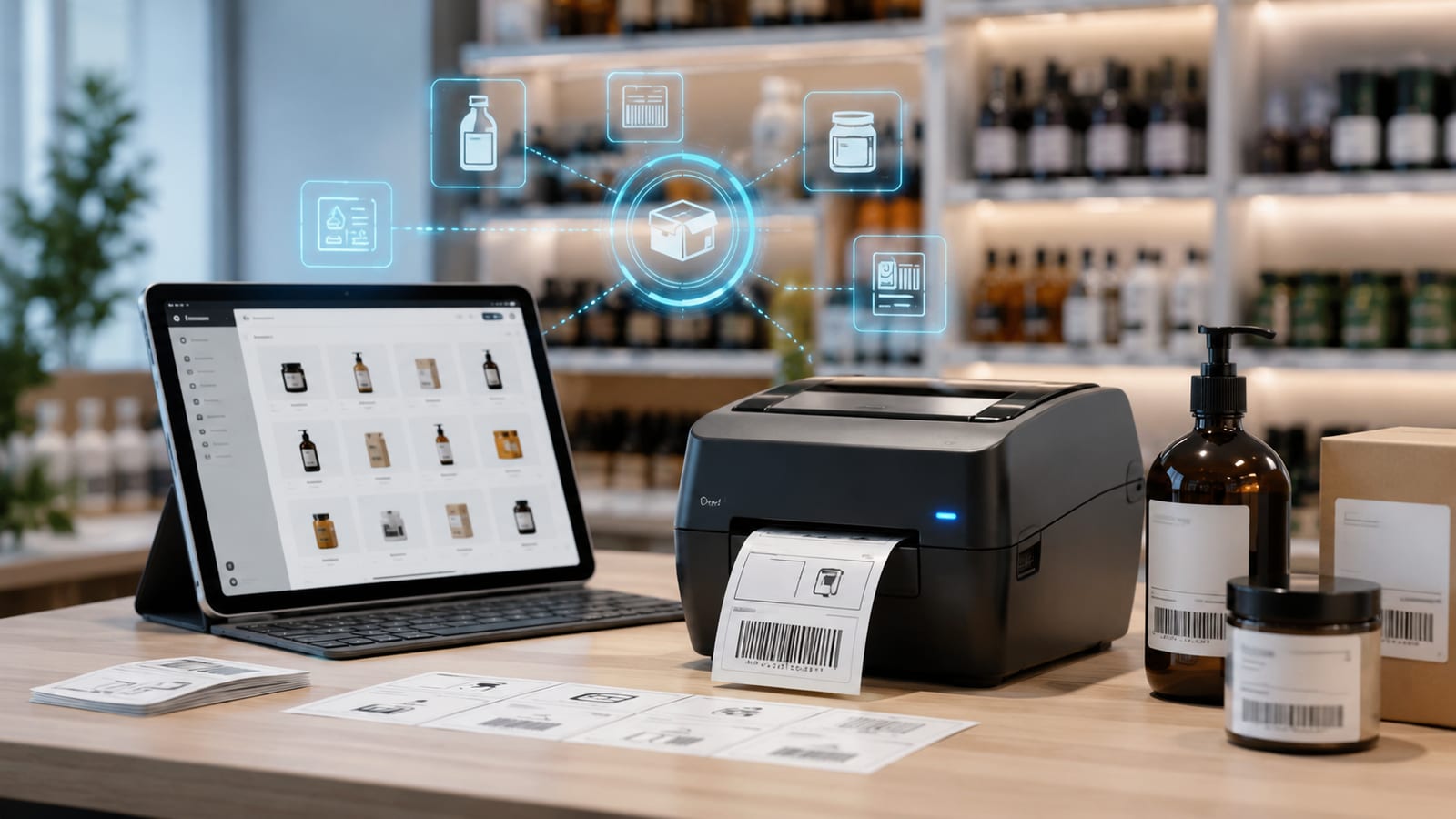
Price and barcode labels at the touch of a button
↳ New goods, new prices — shelf labels are typed and printed by hand, error-prone and time-consuming.
→ DivineMind.AI generates ready-to-print label sheets as PDF directly from your article list or today's goods receipt — complete with name, price, unit price (e.g., € / 1 kg), item number, and EAN/barcode, optionally with the specific branch price, in several layouts and with a freely selectable quantity per item. Print, stick, done.

Goods purchasing and auto-reordering
↳ No one notices in time that a bestseller is running low — and then the shelf is empty.
→ The warehouse manages stock per item and branch. If an item falls below the minimum stock level, AIRIS automatically suggests a reorder from the stored supplier and creates the order; you trigger the dispatch to the supplier.

Book supplier invoices by photo
↳ Supplier documents pile up, typing costs hours, discounts expire, the tax advisor waits.
→ The Finance-Agent reads every incoming invoice via OCR (supplier, amounts, VAT, IBAN, due date) and creates the booking entry. After your approval, payment is made via SEPA, discount periods are tracked, and the DATEV export remains clean.
Daily cash takings accurately recorded in the cash book
↳ Cash receipts in Excel can be changed retrospectively — an estimate is threatened during a tax audit.
→ The daily cash takings are booked as revenue into the cash book; a hash chain makes retrospective changes visible — automatically with the DivinePOS till at the daily closing (Z-Bon), or from another shop till via the recorded daily takings. If AIRIS books, she first submits the booking for your approval; every AI action is logged, and you can generate the export for your tax advisor with a button.

Business Customers on Account: Order → Delivery Note → Invoice
↳ You also sell to business customers on account — and re-type order confirmations, delivery notes, and invoices every time into separate templates.
→ DivineMind.AI manages the complete chain in one system: Quote → Order Confirmation → Delivery Note (with automatic stock deduction) → Invoice. The agent presents delivery notes and invoices — the irreversible steps — for your approval before booking. If a business customer prefers to pay directly in the shop, settle the open invoice at the till: receipt with signature, invoice marked paid, no duplicated revenue.
Open items, dunning, and regular customer CRM
↳ Business customers on account, regular customers with special conditions — keeping track of this and following up on receivables is neglected.
→ You store B2B customers with their own conditions in the CRM. The Finance-Agent duns open receivables in stages — either with your approval or, if configured, fully autonomously. This keeps your business customer operations clean, without anyone maintaining lists.
Roster, Time Clock, and Leave — in AIRIS
↳ Sales staff across multiple branches, changing shifts, leave requests, and sick reports on paper and in chat groups — at the end of the month, hours for payroll are missing.
→ Your branch team receives its own self-service access via PIN: view roster, clock in and out, report sick (with upload of sick note), and apply for leave. Times and absences are cleanly consolidated, ready for payroll. These pure AIRIS accesses — time clock, leave, roster — are free of charge; payment is only required once someone works with AIRIS and the full app.
Your savings
Your savings are the time your team gets back.
We calculate how many hours DivineMind saves your business per week based on your actual tasks – in the potential analysis. Afterwards, you will see task by task what is eliminated and what it brings you.
Frequently Asked Questions
Is DivineMind.AI a POS system for the till?+
Yes — DivinePOS is included: the till for the counter and branch in the browser, on Android, iOS, and Sunmi devices, for DivineMind customers in the Premium tariff at no extra charge. The daily closing automatically books the takings into the cash book. For Austria, the RKSV signature is connected via A-Trust; a TSE for Germany is not yet included — there, you integrate your existing POS terminal via the daily cash takings.
Do we see stock across multiple branches?+
Yes. You manage any number of warehouses and branches with stock per location. DivineMind.AI shows the stock per item across all branches, with totals per location. Stock transfers are created as a process, verified by a second person, and only then rebooked.
Can we print price and barcode labels?+
Yes. From your article list or today's goods receipt, DivineMind.AI generates ready-to-print label sheets as PDF — with name, price, unit price, item number, and EAN/barcode, optionally with the branch price, in several layouts and with a freely selectable quantity per item.
Does the system reorder automatically?+
If an item falls below the minimum stock level, AIRIS prepares a reorder from the stored supplier and creates the order. You trigger the sending of the order email to the supplier — the AI does not send it on its own authority.
How are daily cash receipts booked?+
The daily cash receipts are booked as daily takings (revenue) into the cash book; a hash chain makes retrospective changes visible. Every booking by AIRIS is first submitted to you for approval, every AI action is logged, and you can generate the export for your tax advisor with a button.
What happens to supplier invoices?+
You photograph the document or forward the invoice email — DivineMind.AI reads supplier, amounts, VAT, IBAN, and due date via OCR and creates the booking entry. After your approval, payment is made via SEPA, discounts are tracked, everything ends up neatly in the DATEV export.
How does DivineMind.AI handle GDPR and the EU AI Act?+
For DivineMind.AI, the EU AI Act primarily mandates transparency under Art. 50 (effective August 2, 2026): Anyone speaking with AIRIS or the AI phone agent (Divine Call add-on, bookable) will be informed that they are speaking with an AI. Additionally, we voluntarily log every AI action so you can always track what AIRIS has done. Critical, irreversible actions are submitted by AIRIS for your approval — you set how autonomously AIRIS operates for each department using the autonomy switch. Data is stored in the EU (Germany); you can manage data processing agreements, information requests, and deletions with a button.
What does DivineMind.AI cost and is everything included?+
Per user per month 749 €, with AIRIS 999 €, plus VAT in each case. You can register for free and try out DivineMind. Included are branch stock, labels, purchasing with reordering, supplier OCR, cash book, accounting, dunning, and CRM. No module surcharges; Divine Call is available as an add-on. Servers are located in the EU (Germany).
Tidy up your retail back office.
In a demo, you will see how DivineMind.AI shows branch stock, prints labels, automatically reorders, and cleanly books daily cash receipts into the cash book — while you take care of the store.
Brochure in German
Request brochure in English →Free, the link will be sent by email.
Or write to us directly.
Please briefly describe your needs — we will get back to you as soon as possible.